Maintenance- Ad Rotation
Ad creatives fatigue over time when people become too familiar with them. This is amplified on Google by their measure of quality score, because lower click-through rates from fatigue also lower quality score. You should regularly pause and write new Google Ads, both because they’ll fatigue but also because quality score improvements decrease CPC and grow traffic. But there’s also risk— if you pause higher-performing ads campaign performance will suffer.
Step 1 to rotating ads is evaluation. Ad rotation is used to grow click-through rates, which grow traffic and ROI via quality score. If click-through rates are stable you can still rotate ads, but do it more carefully so you don’t cause damage by pausing a high CTR ad.
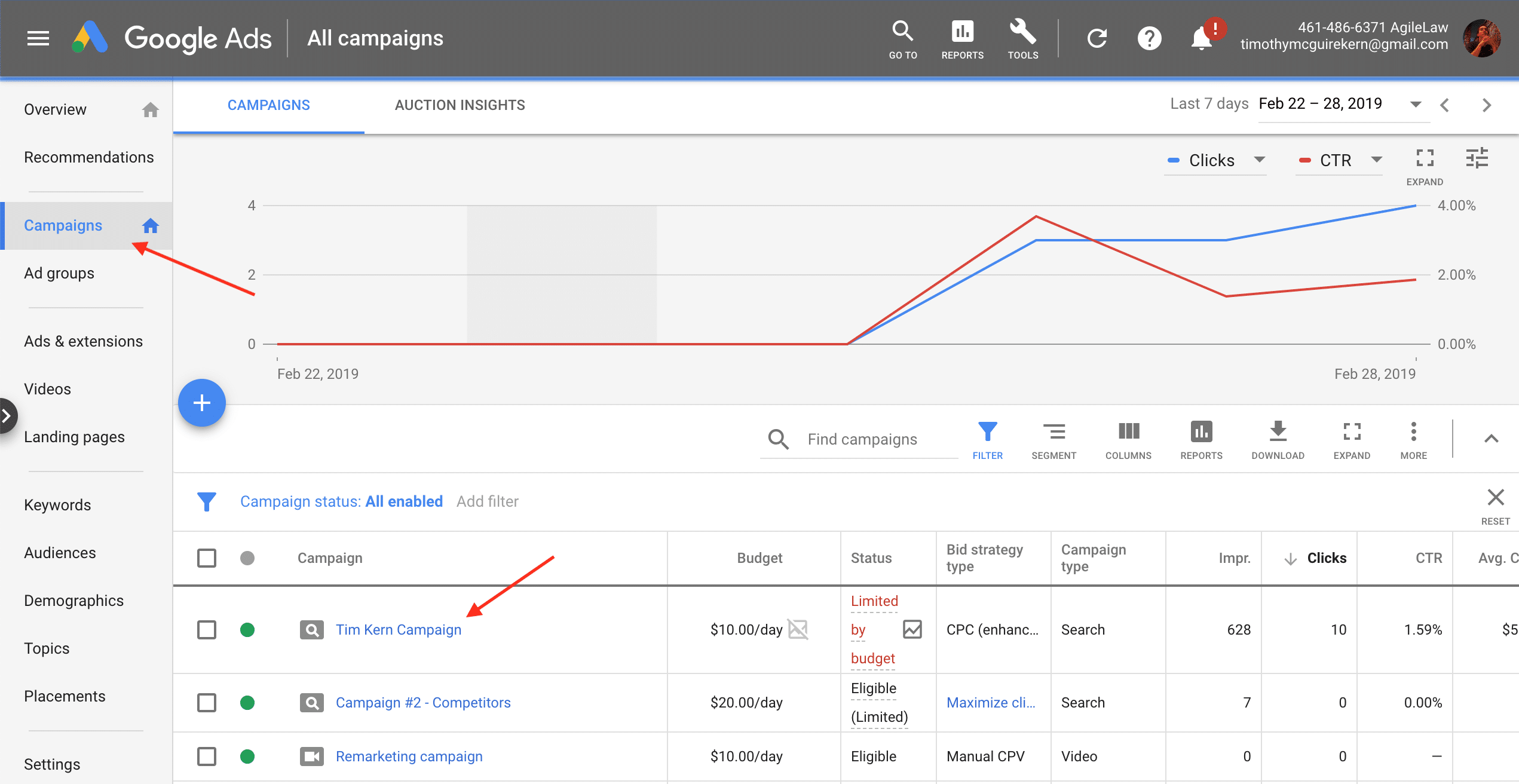
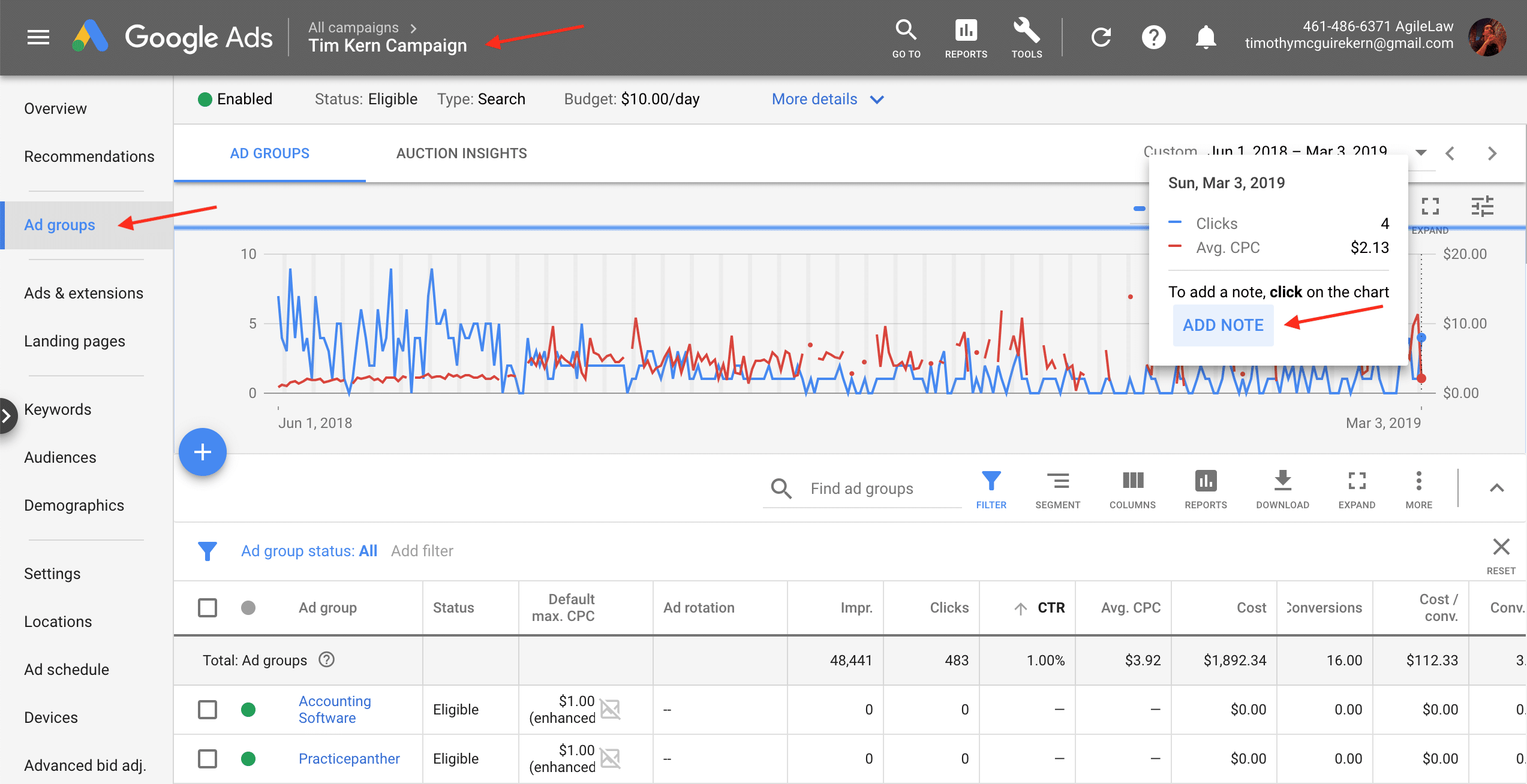
To begin login to Google Ads and alter your date range to reflect results since your last ad change— look for that in Change History > Ad Changes. Confirm CTR is decreasing by toggling between the date since your last change, a period of time before the change, and a view of both. Doing this, and changing the lines on the chart to reflect Clicks (default, in blue) and CTR (change the red line), you can evaluate if CTRs are falling.
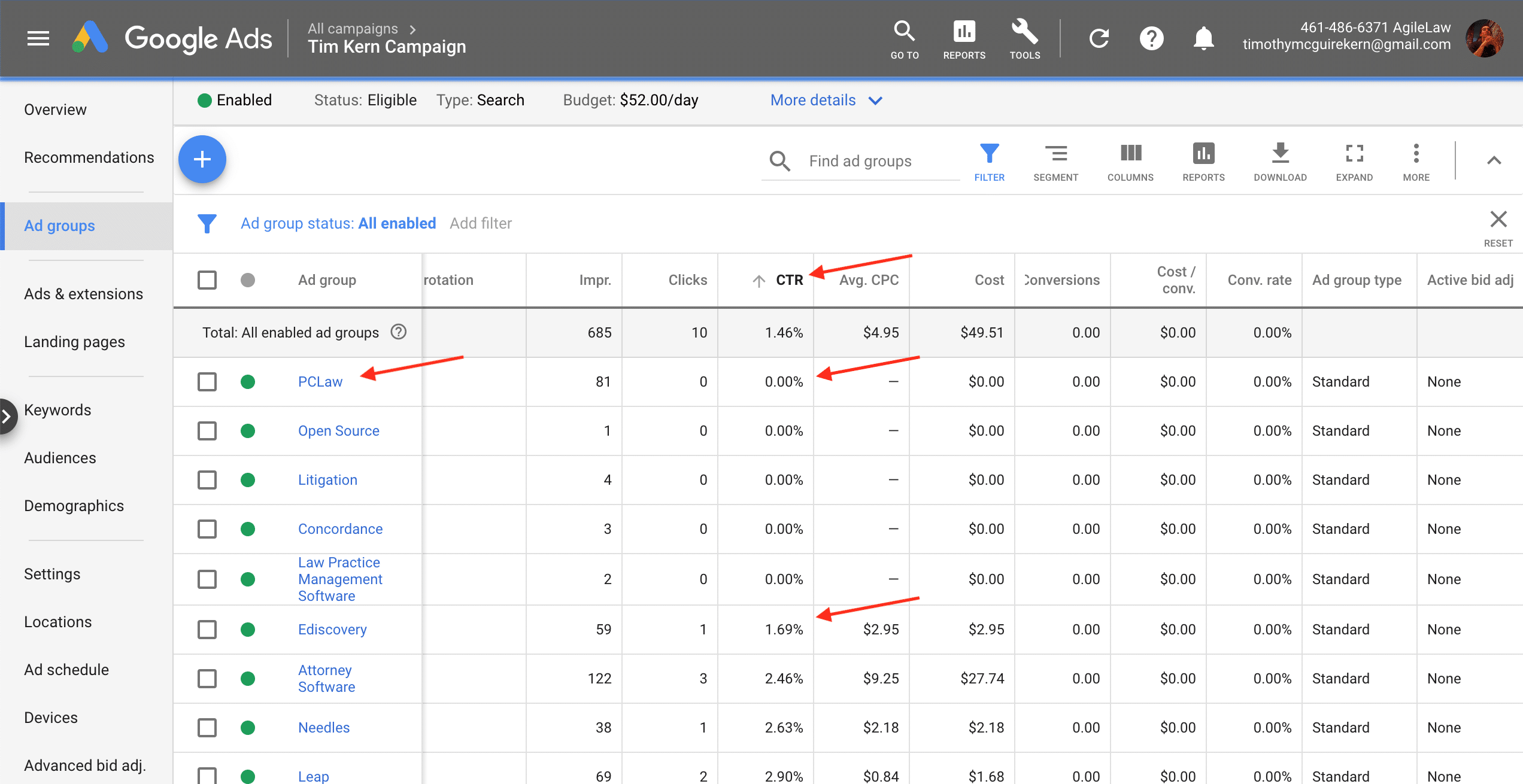
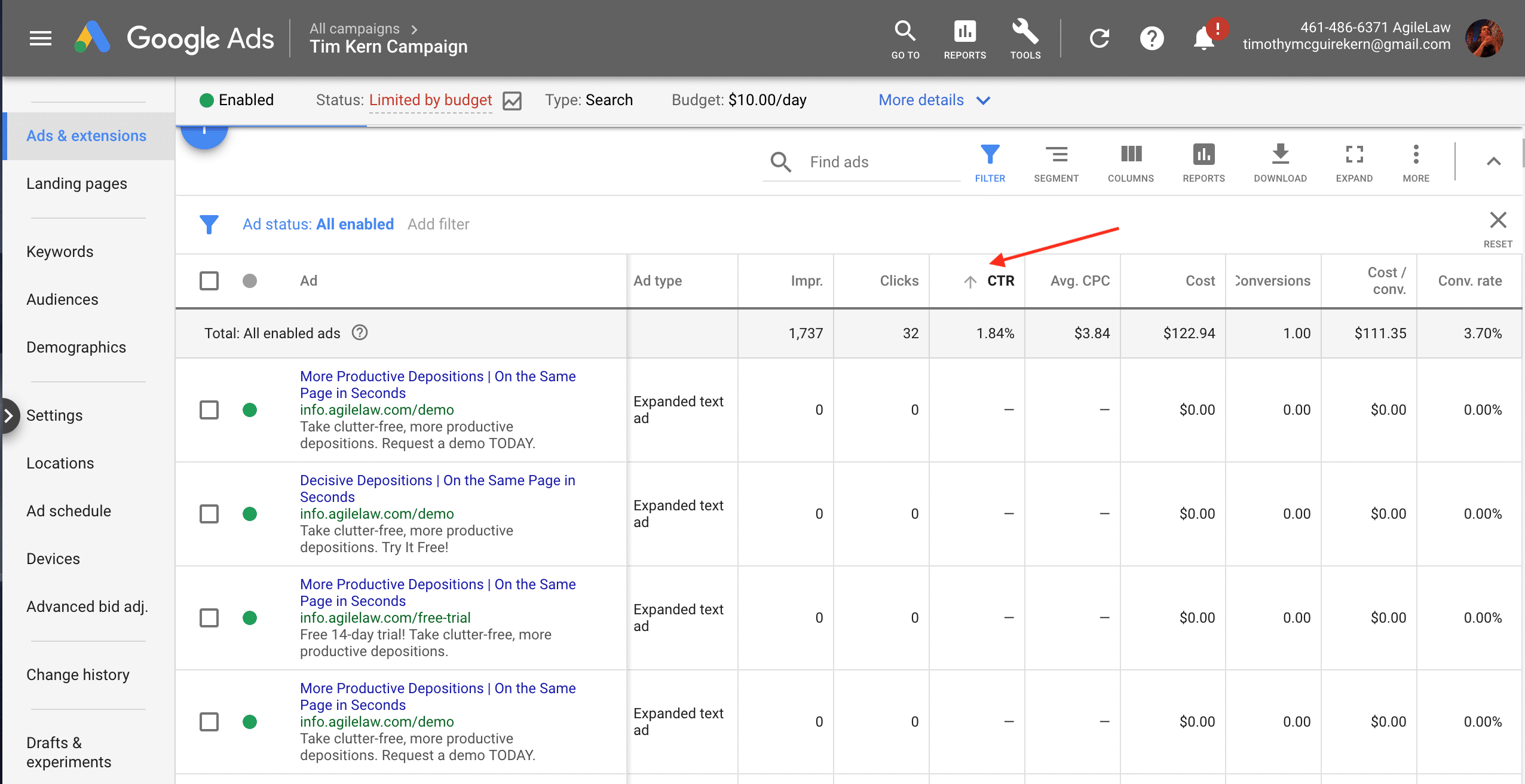
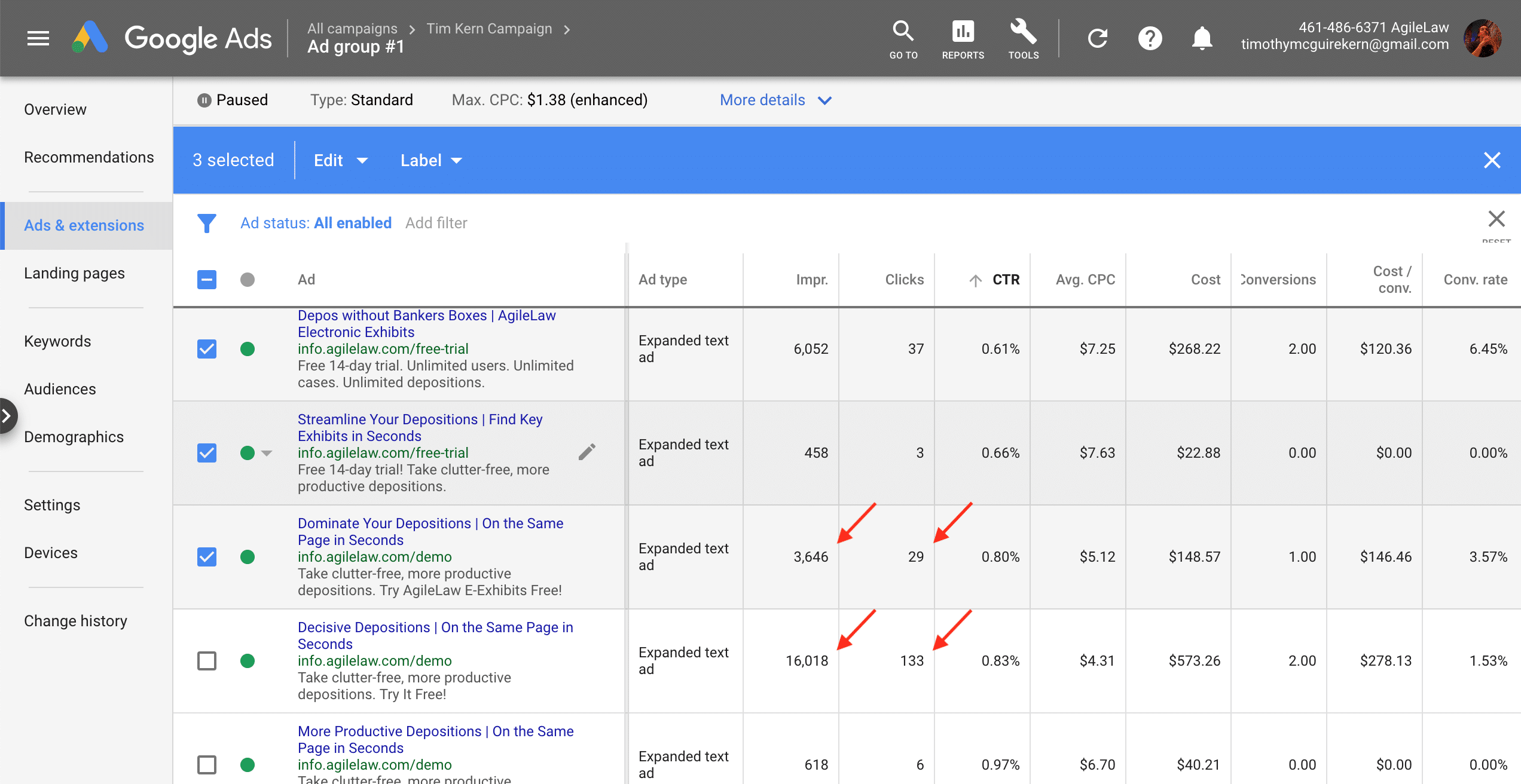
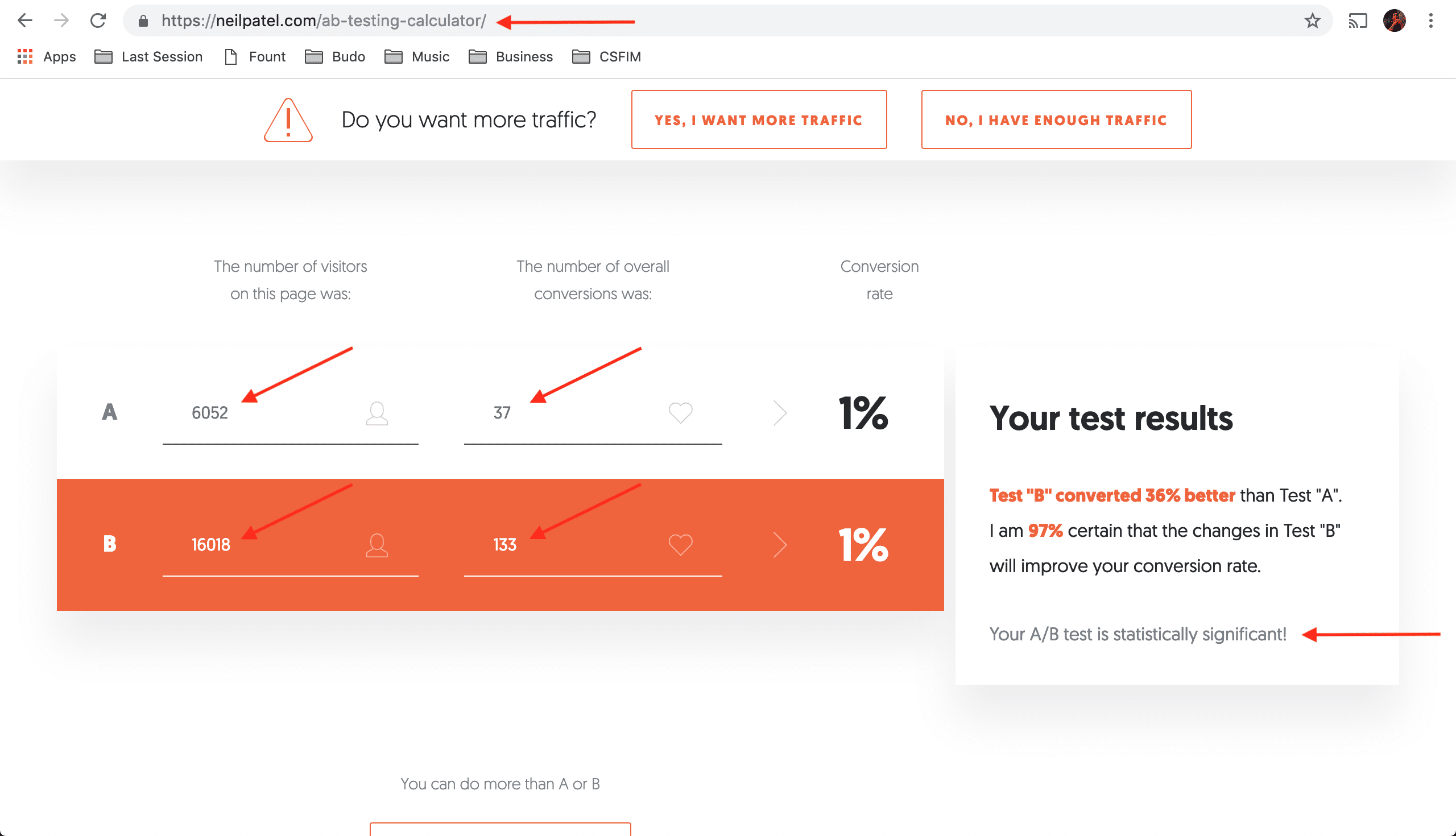
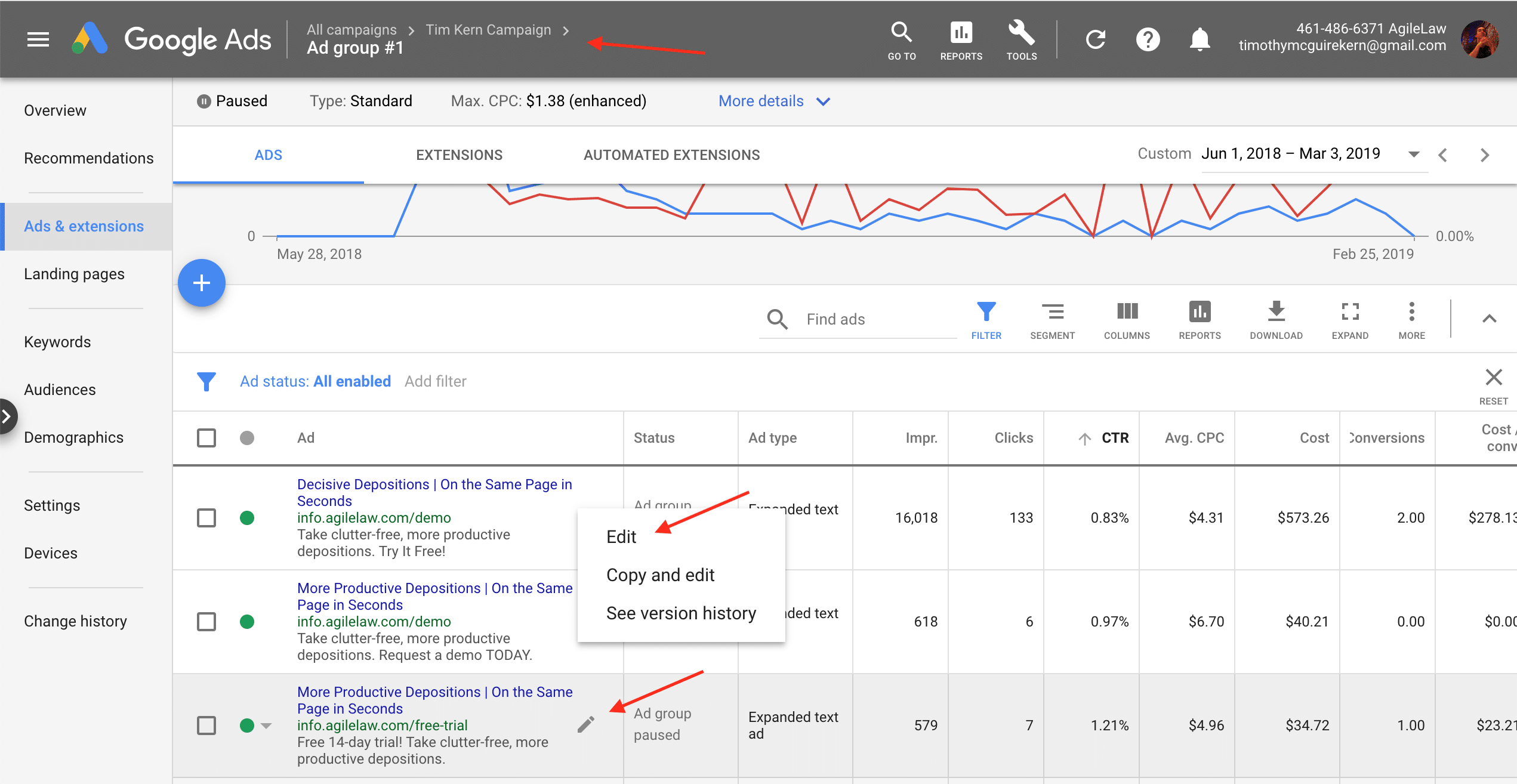
Next select which ads to pause. Start by clicking Ads & Extensions in the left column. With lots of data, sort your ads highest CTR to lowest (click the CTR table column head) and compare each of the lowest 3 ads to the 3rd best. That is, compare impressions and clicks between each of the weakest half of ads and the worst control you’ll keep. Take a mental note; all ads worse than your weakest control, within statistical significance, should be paused. Statistical significance is a measure of how much you can trust current results. Consumer demands are dynamic; evaluate results for statistical significance to virtually guarantee trust in the data you see.
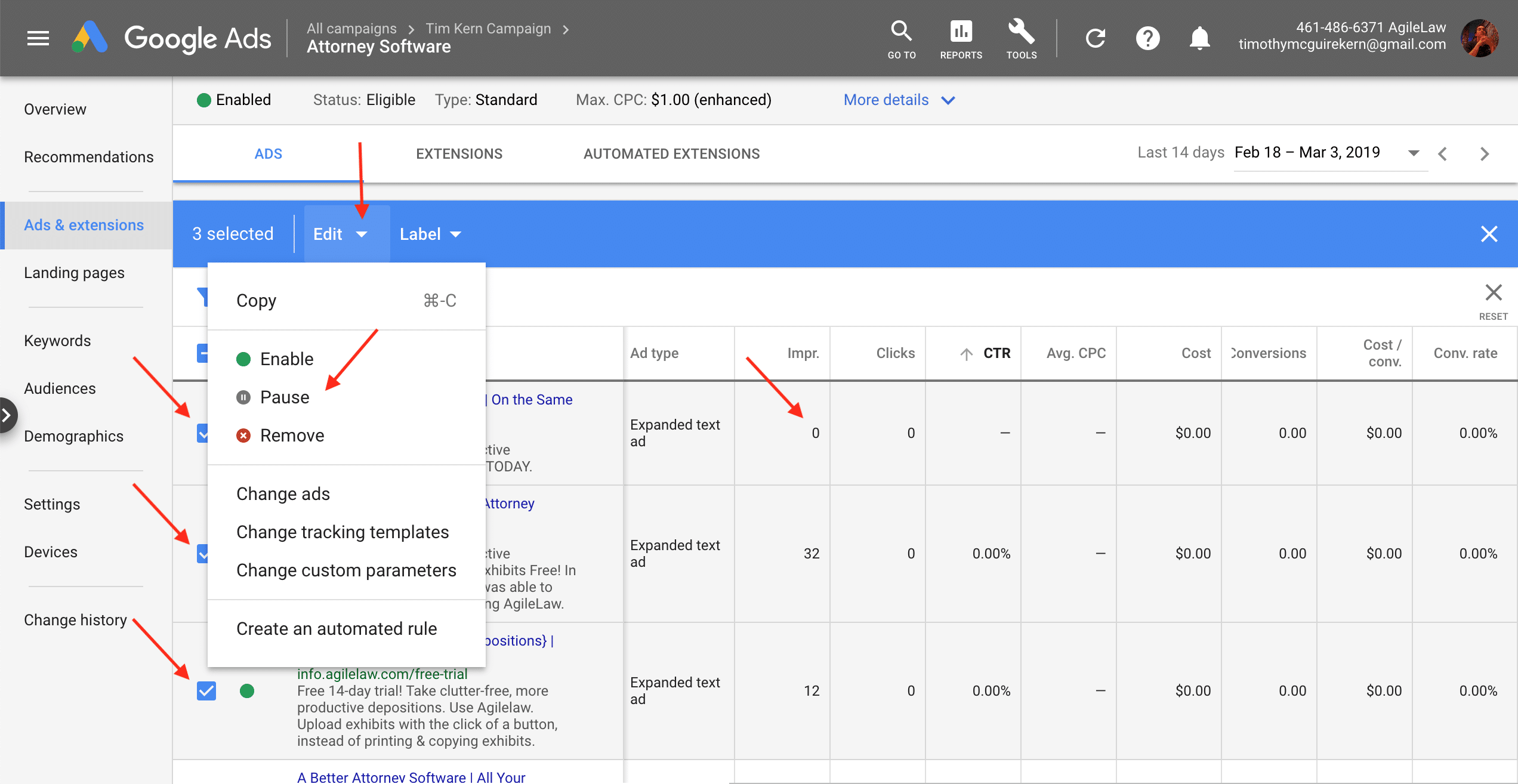
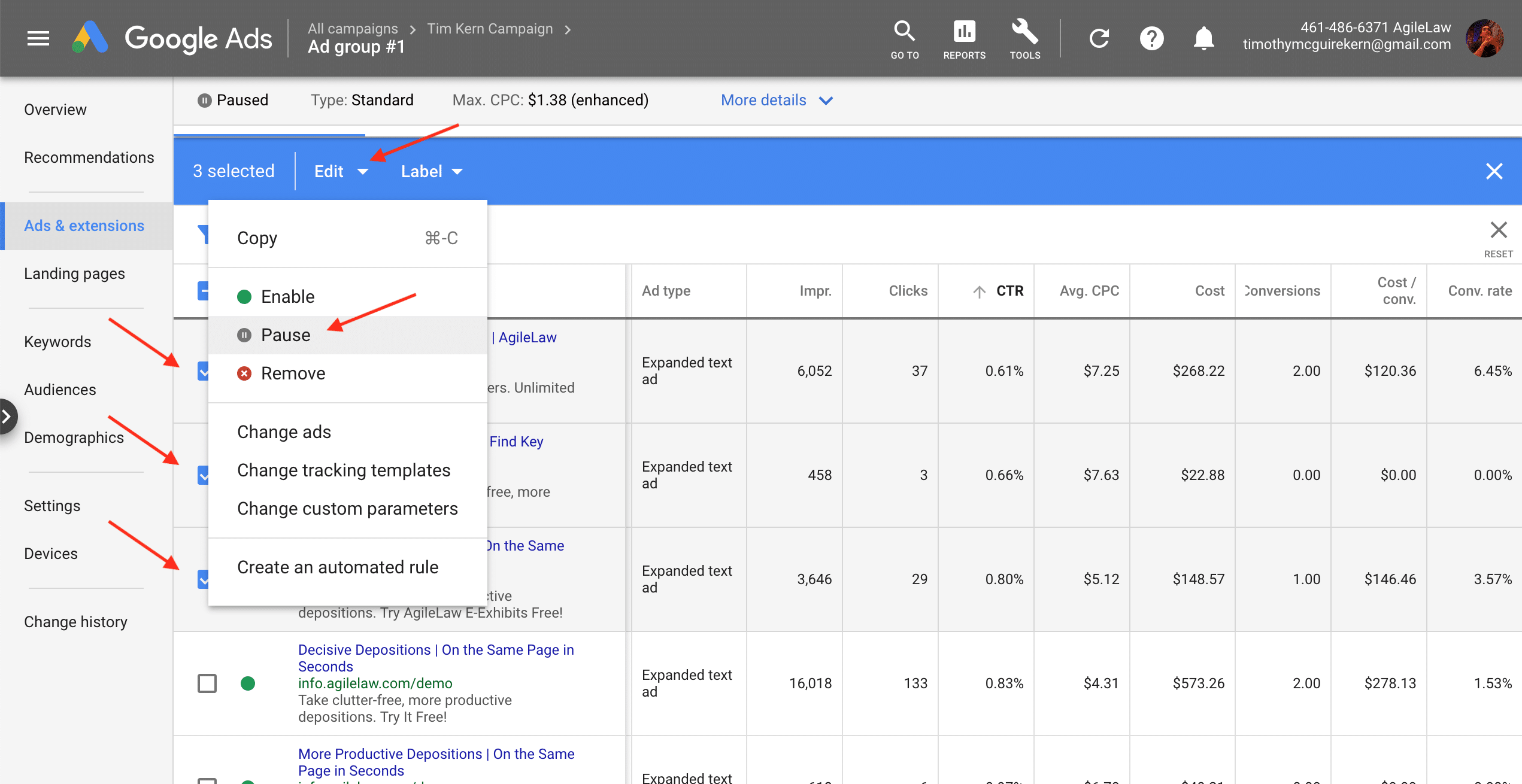
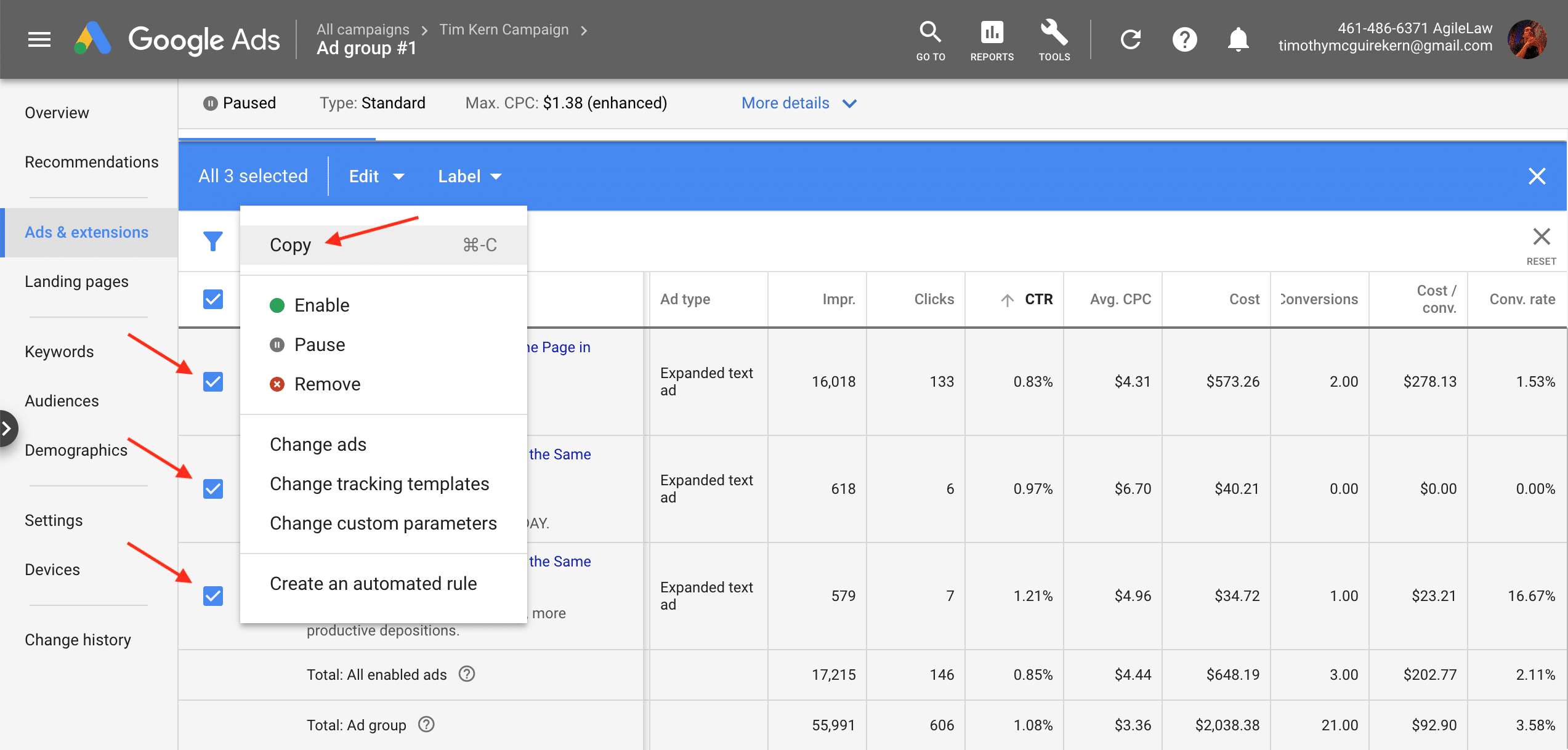
With less data, though, CTR could drop but you may not have enough clicks and impressions to reach statistical significance. Here, decide whether to wait for more impressions and clicks, or to pause with available data. Pausing is more risky, but needed at times to cut losses. Confirm 3 ads are selected, click Edit in the blue selection bar, and click Pause to complete that change. Next select your highest CTR ad, click Edit, and duplicate (copy & paste) 2 or 3 times in order to edit it into what will become your new test ads. To edit each ad hover over it, click the edit pencil, and don’t forget to finish with Save.
Consider industry benchmarks for CTR when editing ads. Ads performing worse than the average CTR for an industry should be completely rewritten. Ads exceeding industry click-through rates should be duplicated with minor changes, to beat a successful control. First, do no harm— duplicate most of what’s working and don’t pause what should be a control. Balance risk and gain with your efforts here.